
Feature
Stocktake
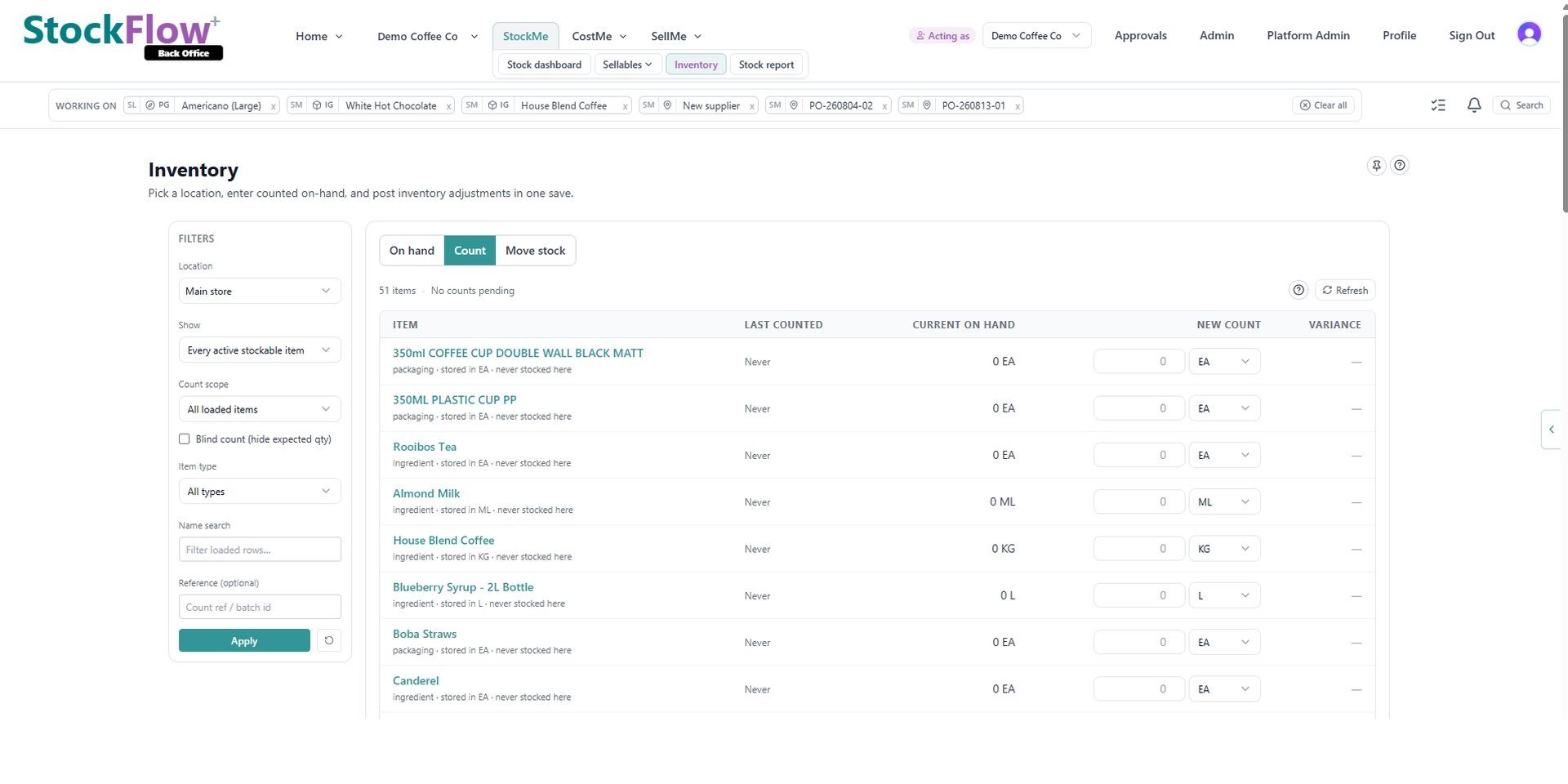
Count what is on the shelf — still on paper? Structured worksheets meet you there. See variance against system stock and post adjustments in one session.
What you get
Location-scoped worksheets
Filter by site, item type and previously stocked items so counters only see relevant rows.
Variance before you save
Enter new counts and review drift against current on-hand before committing adjustments.
Audit-friendly notes
Attach session notes and reference numbers so month-end reviews explain what changed.
Links back to items
Jump from a stocktake row to the underlying item when master data needs fixing.
Built for
Monthly location counts
Run rolling stocktakes per branch without shutting down operations.
Year-end inventory
Produce defensible adjustment batches for accountants reviewing closing stock.
New site go-live
Establish opening balances with a structured count instead of bulk spreadsheet imports.
Related integrations
FAQ
Do stocktake adjustments update on-hand immediately?
Yes. Saved counts post stock movements that update inventory balances for the location.
Can I stocktake only some items?
Yes. Filters let you count previously stocked items or every active stockable item at a location.
Does stocktake affect accounting?
Inventory valuation changes flow through your costing setup and can sync to connected accounting systems.
Run your next stocktake in StockFlow
Try StockFlow and run structured counts alongside how you work today.