
Keep the till you trust. We run what happens behind it.
StockFlow is the back office — suppliers, costing, stock, and company-wide visibility. Your point of sale or online store stays exactly where it is; we read completed sales and keep your operational picture clear.
How it fits together
Your till or store
Yoco · Shopify · Woo · CSV
Checkout stays here — we never replace your till.
back office
Stock · suppliers · costing
Sales sync read-only → stock decrements automatically.
Accounting
Xero · Sage
Purchases, COGS and stock valuation — owner visibility before the ledger.
Supported sales channels
CSV / report import
Available todayUpload sales exports from any till — works today while native connectors roll out.
WooCommerce
Early accessWoo order webhooks for SA stores, whatever checkout the store runs.
Learn more →Lightspeed
Early accessRetail and hospitality point of sale with structured order exports.
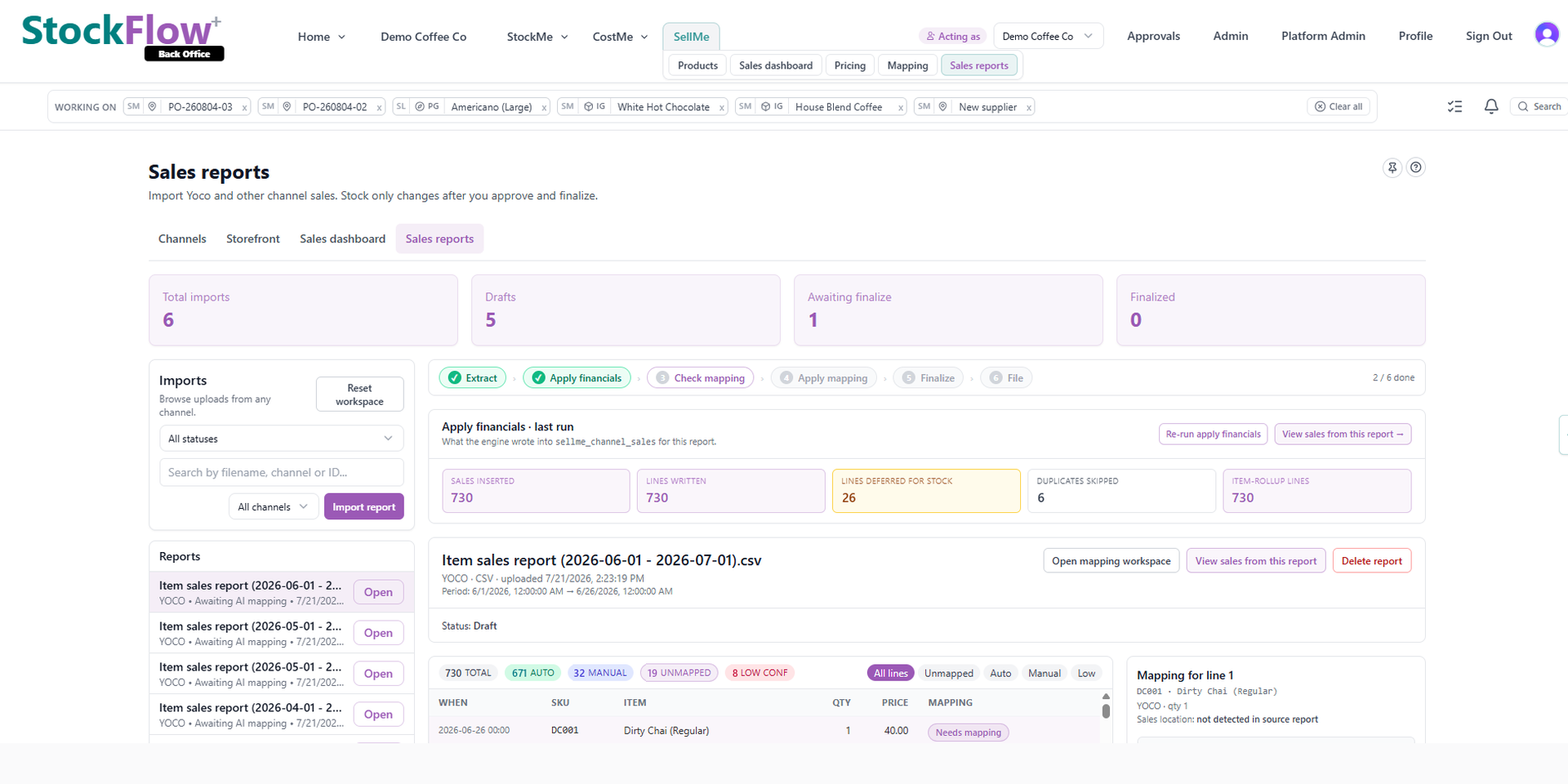
How sales channel sync works
- 01
Connect your sales channel
OAuth or API key for Yoco today; Shopify, WooCommerce and generic webhooks rolling out. CSV import works with any point-of-sale export — or log cash and EFT sales manually.
- 02
Map SKUs once
Link till or store SKUs to your StockFlow catalogue. Unmapped lines land in a review inbox — fix once, future sales auto-match.
- 03
Sell as usual — stock updates automatically
Every completed sale decrements stock, feeds live sales views, and prepares clean data for Xero or Sage. No re-entering products at the till.
Is this right for you?
Good fit
- Multi-channel sales (shop + online + wholesale)
- Weekly supplier invoices and delivery notes
- Recipes, bill of materials or margin tracking matters
- Xero or Sage SA and stock drift is a pain
- 50–500 SKUs with real costing complexity
- Want analytics even if accounting isn't connected yet
- Mostly cash, EFT, and manual stock counts
Not a fit (yet)
- Single till, under 30 SKUs, buy-and-sell only
- Your point-of-sale built-in inventory is enough for your team
- No formal books or supplier documents to process
- You need a new card machine or checkout — use Yoco or PayFast directly
Generic sales ingest API
Any till or middleware (Zapier, Make, custom scripts) can POST normalized sales to StockFlow using your tenant integration webhook secret. No card data — line items and amounts only.
POST /api/v1/webhooks/sales/{integration_id}
X-StockFlow-Signature: HMAC-SHA256 hex of raw body Content-Type: application/json
{
  "external_sale_id": "order-12345",
  "occurred_at": "2026-05-26T14:30:00+02:00",
  "currency": "ZAR",
  "location_external_id": "store-jhb",
  "lines": [
    { "sku": "SKU-001", "qty": 2, "unit_price": 149.99, "name": "Widget A" }
  ]
}
Common questions
Do I need every integration to get value?
No. Many businesses start with inventory, supplier invoices and manual stock updates — then add a till sync, sales report upload, or accounting link when the timing is right. Each connection adds visibility; nothing is all-or-nothing.
We don't use a point-of-sale system — can we still use StockFlow?
Yes. Record cash and EFT sales via customer orders or sales report upload, update stock when you count, and capture supplier invoices — no till integration required. Connect Yoco or upload exports later when it helps.
Do I need to re-enter products at the till?
No. Your point-of-sale catalogue stays as-is. StockFlow maps external SKUs to your back-office products once. After mapping, sales sync read-only and decrement stock automatically.
Does StockFlow replace Yoco or my till?
No. We read sales events read-only — we do not process card payments or replace checkout. Yoco remains your till; StockFlow runs purchasing, costing, suppliers and accounting hand-off.
Is card data stored in StockFlow?
No. Card processing stays with your payment provider. StockFlow stores transaction references, line items and reconciliation metadata only — POPIA-safe by design.
What if my till is not listed yet?
Use CSV report import today, or connect via our generic signed webhook API. Native adapters for Shopify, WooCommerce and Loyverse are in active development — reach out if you want help wiring yours up.
How does pricing work for live point-of-sale sync?
Startup includes CSV import plus one live connector. Going Places adds multi-channel sync. See pricing for sales sync volume limits per tier — all in ZAR, VAT-excl for B2B buyers.
Till not on the list, or running cash and EFT only?
Your till stays. Your back office gets fixed.
Start with Yoco or CSV import today. Join early access for Shopify and WooCommerce connectors.